Red Horizon
Side-scrolling Beat-em-up Game
Project Type: University

Software/Language Used: Unity / C#
Red Horizon is a Side-scrolling Beat-em-up game that gives the player a set of abilities and attacks to take on hoards of enemies.
Player Controls
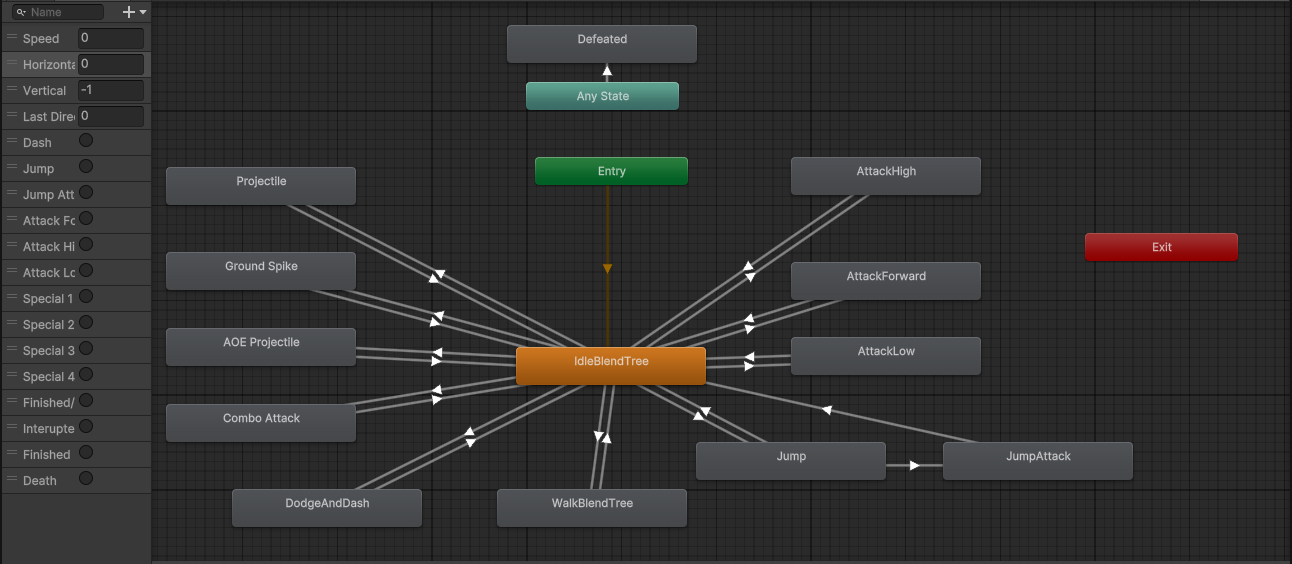
The player works by having several states that are triggered through input and affect the animation of the player sprite. The states are shown in the image below:
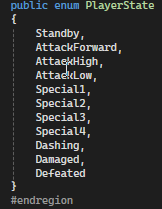
These states then affect what actions can be taken at specific times. For example, if the player is defeated, they cannot move or use any attack actions.
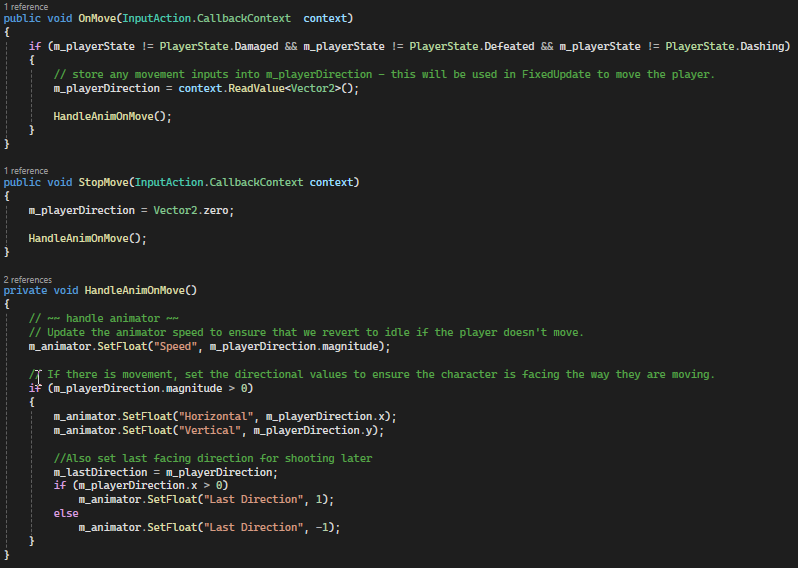
Movement works by reading in the movement inputs WASD as a Vector 2 then determining the movement based on the vector and a variable that controls player speed in Fixed Update.
The code below shows the code for reading in the player movement and reseting it.
Player Attacks and Animations
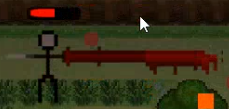
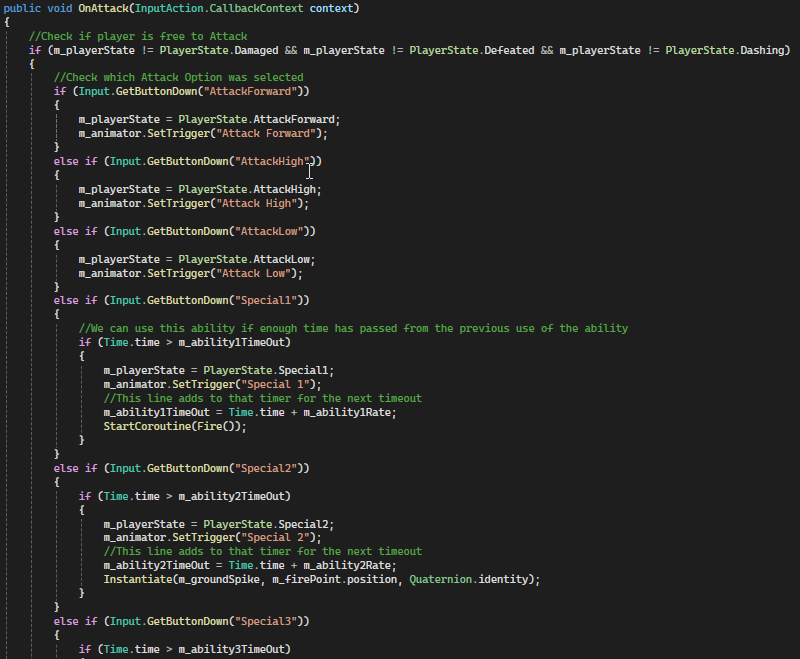
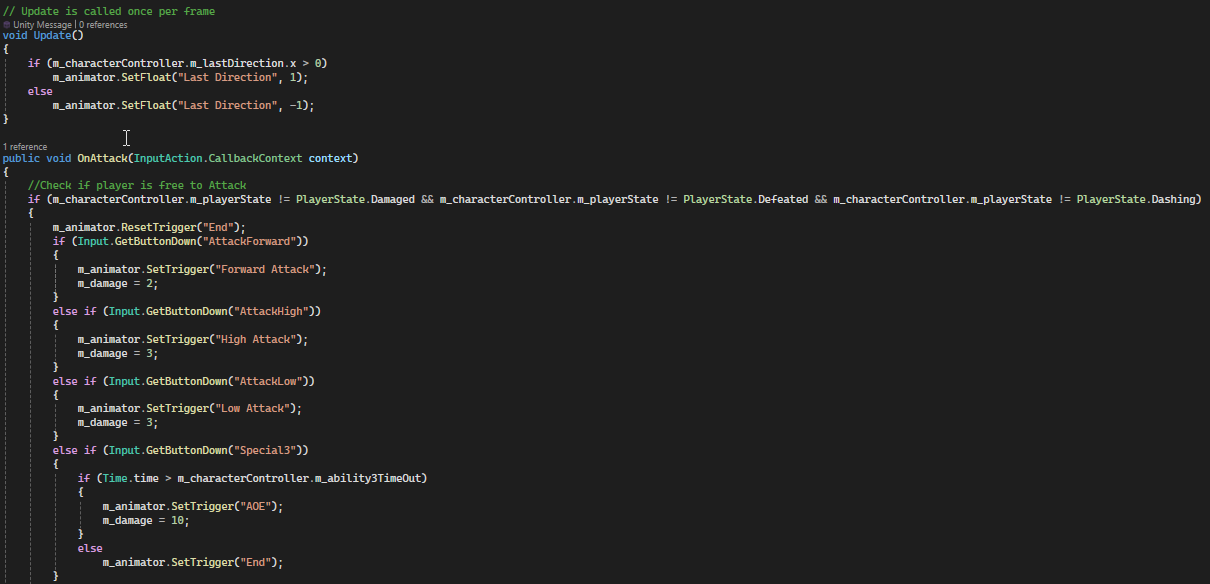
The player has several attacks available to them. A basic forward, upwards and downwards attack allong side 4 special attacks that each have a cooldown before activating. These attacks are all handled in a script that also handles the attack animations. This is because the animator is also used to animate the hitboxes for each attack to ensure each line up with their visuals.
The code below shows the player script Attack function
The code below shows the player attack animation script Attack function.
The image below shows the animation controller for the Player.
The image below shows the animation controller for the Player Attacks.
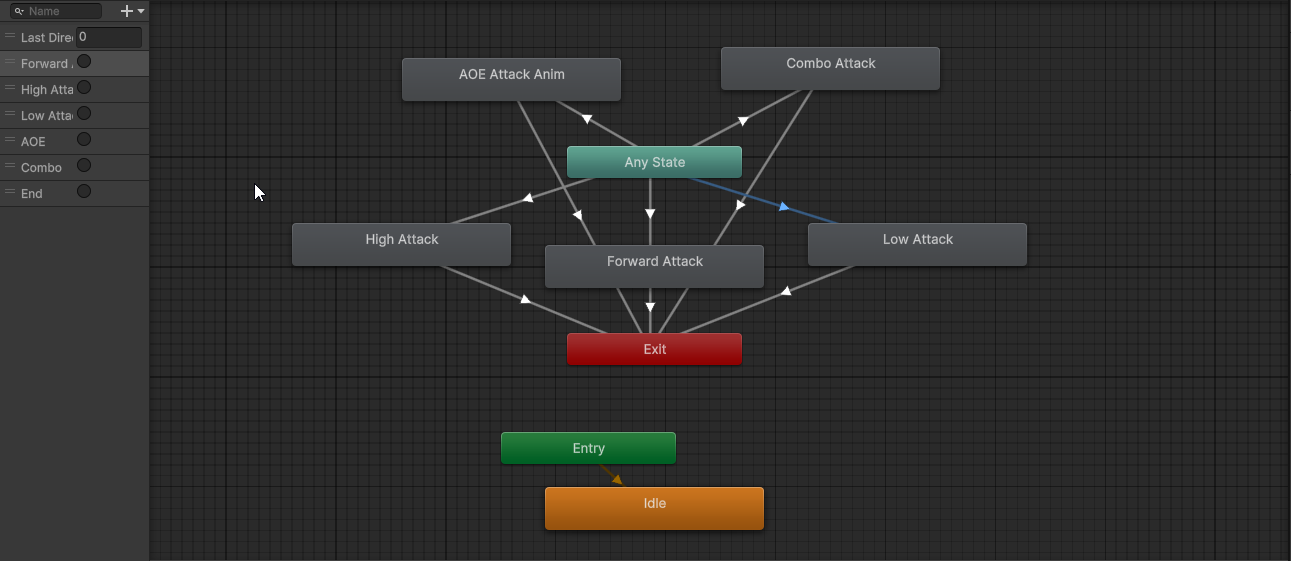
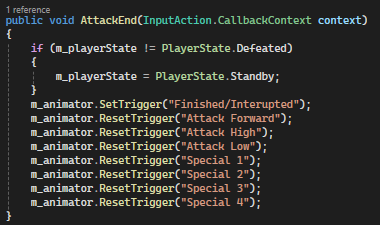
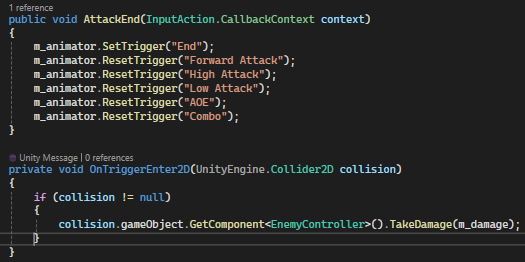
Animations for attacks use triggers to start and end the animation, to ensure responsive animation and avoid confusion within the animation controller. When an attack ends the animation triggers are reset, as shown below:
Projectiles
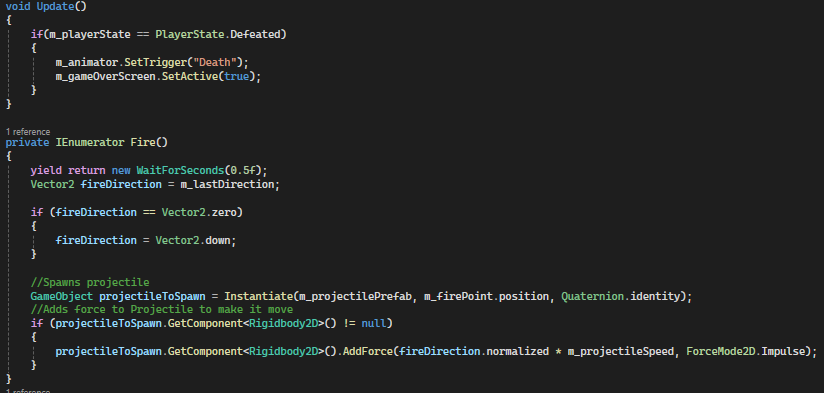
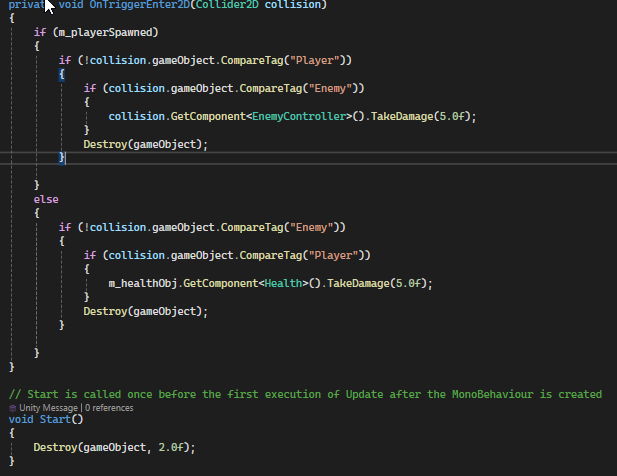
The 1st special attack fires a projectile. This works by getting the last direction inputed (recourded during movement) and instantiating a projectile object and applying a force to it using the direction vector and projectile speed. The projectile then checks who fired it and then will travel for a period of time and delete itself when it hit anything that isn't a player, dealing damage if its an enemy by calling a function within the enemy script.'
The code below shows projectile spawning and movement.
The code below is for the Projectile object.
Enemies
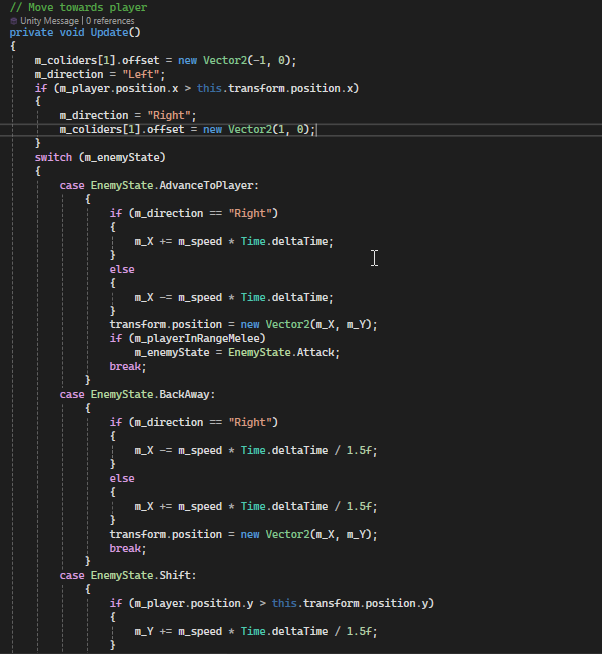
Enemies work through states that define their actions, similarly to the player. When the AI decides upon an action it follows specific code until that action times out. These states involve movement towards the player (whether horizontal or verticle), Attacking and also player induced states when the enemy is damaged or defeated.
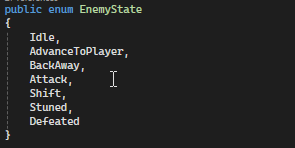
The code below shows the Enemy states actions for movement.
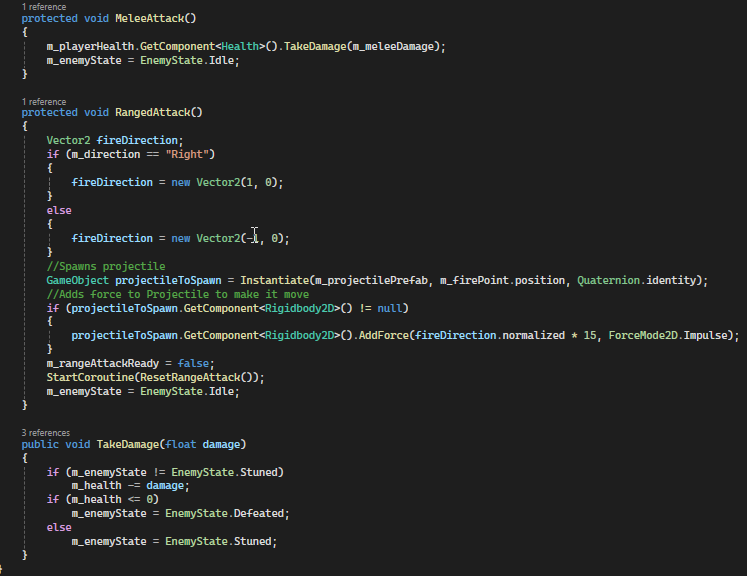
The code below shows Enemy states actions for attack, damage and defeat. Alongside this, is a range check which works using a collider that detects the player by the tag.

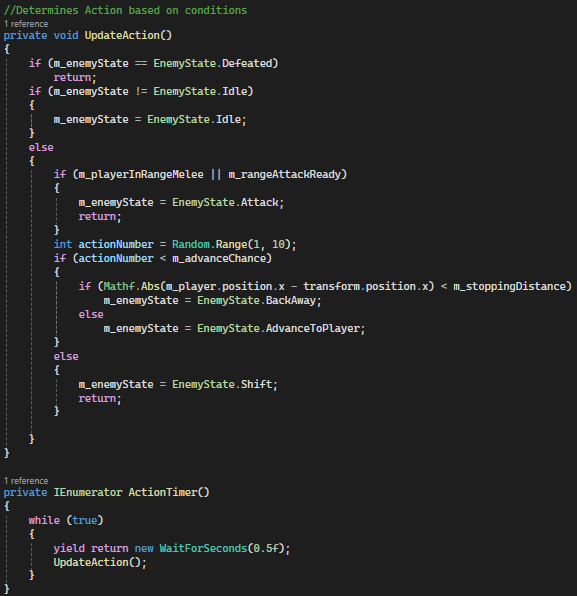
These states are controlled by a Coroutine that calls a function to update the action of the enemy. This state is changed according to various factors controlled by if statements.
The image below shows the UpdateAction function that is called by the coroutine below it.
Enemies all have melee attacks but some have range attacks, which instantiate a projectile object.
Animations
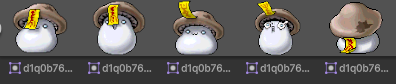
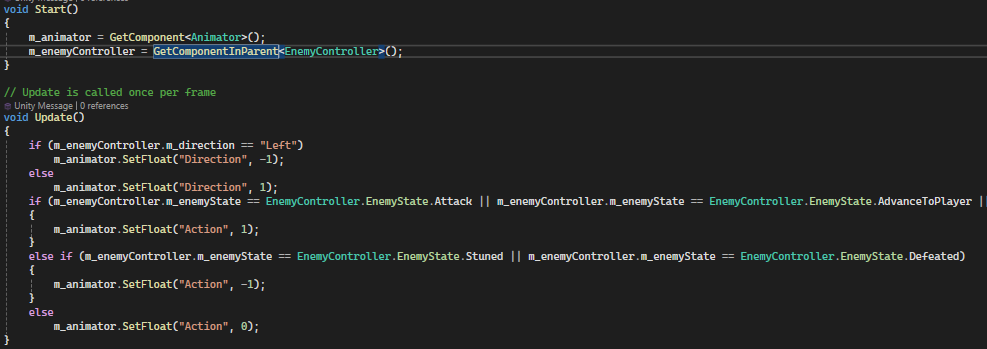
Animations are handled similarly to player attack Animations. However, Enemy direction has to be set.
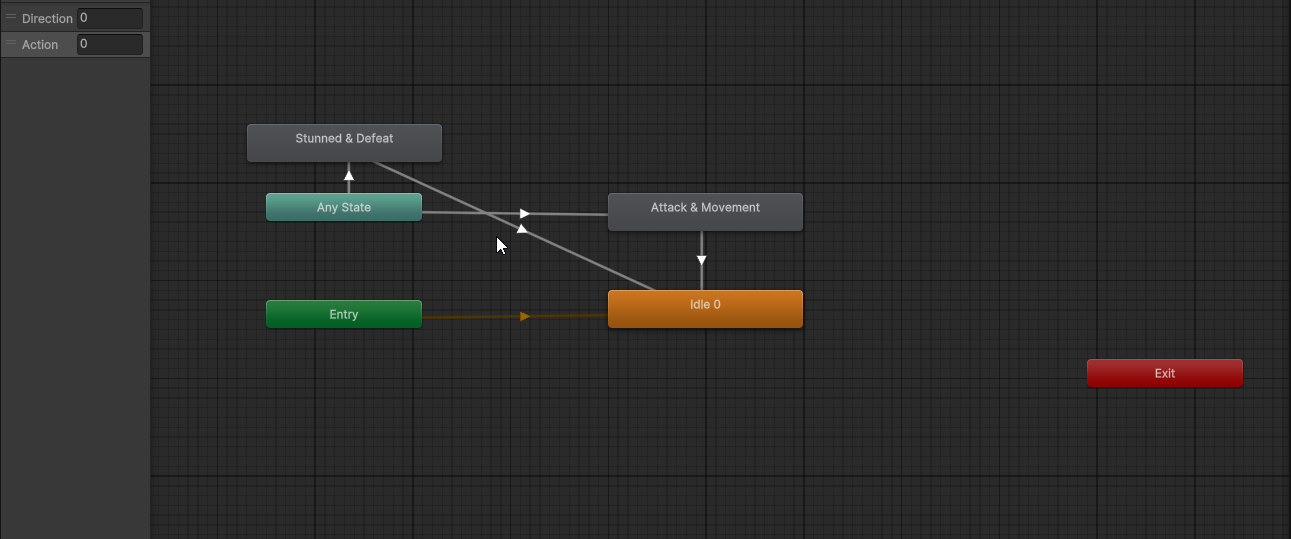
The image below shows the animation controller for the mushroom enemy.
The code below shows the enemy animation reset.
Health
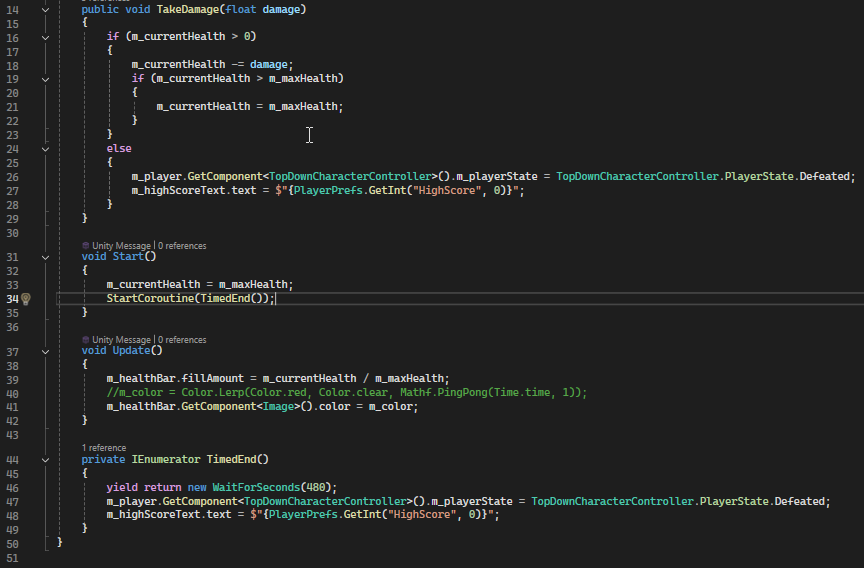
Player health is handled by a script which manages both the value and display. The script contains a function that takes the damage and applies it if the player has health remaining. The display of this uses a bar that fills based on the current health compared to the max health.
Score
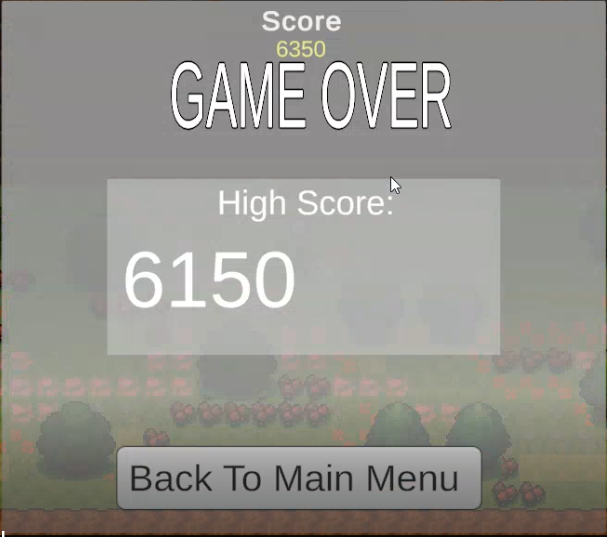
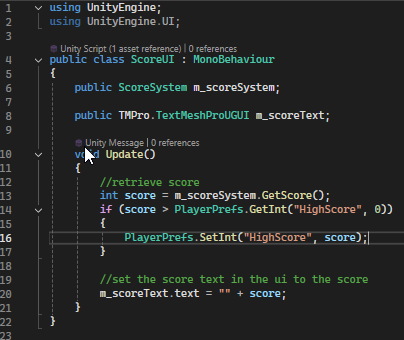
As seen in other code snippets, score is gained from defeating enemies. High score, on the other hand, is handled by a script that will get the score and compare it to PlayerPrefs, then sets is and the text accordingly.
Camera
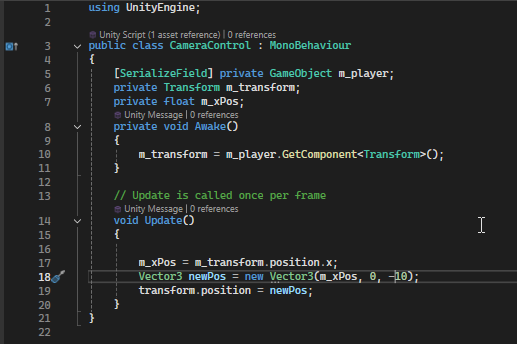
Camera movement is controlled by using the player position and adjusting the X axis accordingly while keeping the Y and Z axis fixed.
Menu
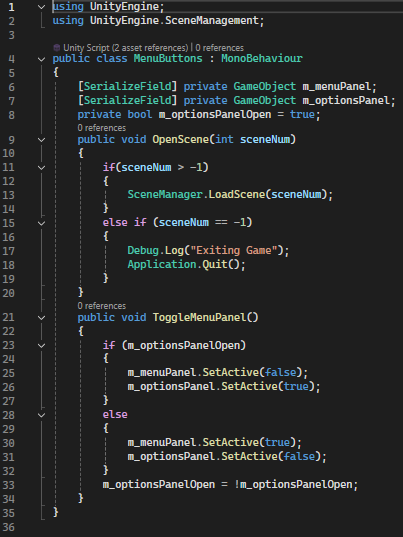
The Menu is controlled through buttons that will either change the scene according to a variable defining which scene its for, or a function which will swap which menu screen is active.